Be yourself; Everyone else is already taken.
— Oscar Wilde.
This is the first post on my new blog. I’m just getting this new blog going, so stay tuned for more. Subscribe below to get notified when I post new updates.
Be yourself; Everyone else is already taken.
— Oscar Wilde.
This is the first post on my new blog. I’m just getting this new blog going, so stay tuned for more. Subscribe below to get notified when I post new updates.
Hardware technologies-
https://hardwaretechnologies.tech.blog/hardware-technologies/
Hey guys it’s your favourite video game player Abdzinho and in this blog we are going to be discussing about hardware technologies. Hardware technologies are important when you are gaming also it is available with the current gaming market. With hardware technologies in mind you can be become the next gaming super-star.
Human-computer interface


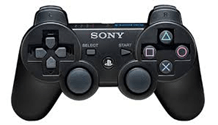
An interface is essential device which makes interaction between computer and human possible. Usually interface devices are such as controllers, keyboards and mice and joypads. Interface devices are mostly used for gaming purposes as they allow you play your favourite video games such Fortnite on your console or PC. Interface devices have buttons and different functions within them which allows games to be played. E.g. PlayStation 4 controller has option button which in some gameplays displaces maps and other information to the user. In addition PC keyboard is input method for games on the PC, E.g. the player can use the keyboard to control the movement of the character by using in the arrows keys or the AWDS keys, E.g. in Fortnite you use the arrow keys to move the avatar within the battle Royale game. Overtime interface devices have improved and more features/functions have been added to smoother the game experience and the game play. E.g. the PlayStation 3 controller only had the square, cross triangle and circle. Also the start/select button and the D-pad buttons/back buttons. Sometime people get confused of the cross and X, Sony the company that developed the controller stated that the button is a cross not an X button. I guess Sony don’t want to be related Xbox as Xbox have X in their name. However when PlayStation 4 came out the touch pad was added to PS4 controller adding more function to the console when games are played. The touchpad allows to reset the car in Drive-club the videogame.

Ergonomic design/button configurations/user centred design for PS4 and Xbox one
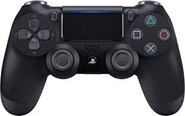
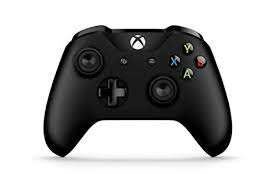
Now, we are comparing my two favourite controllers the Xbox one controller and the PlayStation 4 controller. Ergonomics means refining the design of the product to make it more suitable for human use, e.g. designing a video game controller so it more suitable for gaming purposes and to reduce risk of unnecessary injuries such wrist pain.
PlayStation 4 DUALSHOCK 4 controller
The PlayStation 4 controller has a handlebar is a clear and a simple illustration of a ergonomic design. The handles of the PlayStation 4 controller are made by placing them at the bottom of the controller. This allows the user to hold the controller with ease and they fit in the hands of the user so the user is comfortable when playing games. Similarly, if they the user wanted to play games for a long duration such as 2 hours etc. The user is protected from risk of straining issues. The DualShock 4 controller has analogue sticks which are relatively close to the buttons. As the analogue sticks are close to the buttons the user can effortlessly change from using the buttons to quickly to the analogue stick. Also they can use the both features at the same time because how they are positioned in the controller which makes it useful for the user. The way the back buttons (R1 , R2 , L1, L2) are located is done tactically so the user can reach them with the index and middle fingers. This prevents losing contact with the button on the main face. The home button has been put on the middle controller so the user can switch between the actual game screen and the home screen thus making navigating through system quicker and easier. The previous controller which was DualShock 3 was inspected for being very small in size and plastic material broke when small pressure was applied. However the new DualShock 4 controller is bigger, more bulky and strengthened for better gaming experience. This makes the controller more comfortable and it makes gaming experience smoother and efficient for the user. The previous controller DualShock 3 the triggers were small and curved in nature, this would allow the fingers slip of the triggers. The current controller DualShock 4 controller improved this by ensuring the curviness is straighter to an appropriate degree and the size of the triggers would be increased so the problem of slipping fingers can be avoided.

Xbox One controller
The Xbox One controller is less bulky if it is compared to the previous controller which is the Xbox 360 controller. This allowed it to be much simple and sleek in design. However the new Xbox One controller brought about some practical changes as well. The Xbox One controller has shoulder buttons that are now more responsive to the user, thus improving the gaming experience when playing intense and focus needing games such Call of Duty. Also, the triggers are larger in size, making it more comfortable for the user as fingers slips can avoided. Similarly, its lower weight allows it to be lighter so the hands don’t feel the heavy weight, uplifting the user when games are being played. The thumb sticks are micro- textured this means the controller has more stability and this is very useful for the user. E.g. when the user is playing games like Fortnite the user’s grip needs to be good, micro-textured thumb sticks help grip so the user can improve their skills in games. The D-pad is entirely reformed because the previous controller had major issues with the D-pad so it had to be changed completely. The back buttons (RB , RT , LB, LT) are positioned next to the left grip so the user can reach them with the index and middle fingers. This prevents losing contact with the button on the main face. Xbox One controller has handles at the bottom but they are designed to fit everyone’s hands and this was the successful bit of the Xbox One controller and are also easy to hold. This makes it comfortable for the user to play games, the user is protected from irritating when playing games. If the user wanted to play for many hours they would be able to do this without straining injuries.

Accessibility (Xbox adaptive controller)
The Xbox adaptive controller is made for the purpose to allow players who have disabilities such as limited mobility. Limited mobility means that some body parts (like fingers) can be moved but with great struggle and difficulty. The Xbox adaptive controller is a core for series of different devices to connect so gaming can be made accessible for disabled users. The Xbox adaptive controller works by linking external devices together that could be buttons, joysticks or switches. This will create a custom made controller experience which is distinctive for the individual user. The assistive devices are sold separately so the user needs to buy them with the Xbox adaptive controller. The assistive devices are triggers, inputs, buttons and the thumb sticks etc. These assistive devices are connected into a USB port, the jack size for the port is about 3.5mm. There are many different organisations and charities that support disabled gamers such as Able gamers, Special Effect etc. These partnerships and charities have contributed to the design and they have contributed to see how well the controller works when the disabled users use this controller.

CPU Single core, Multi-core, Hyper-threading
Now we are going to Discuss CPU which stands for Central processor unit, this component is very vital part of a computer. This allows games to run smoothly and efficiently. In this part of the blog we are going to break down different types of CPU as they are quite complicated, However at the end of this we will be expert in the knowledge about the CPU.
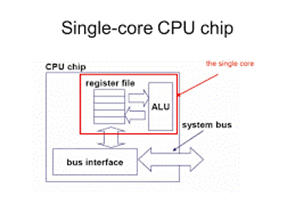
A single core is micro-processor is micro-processor that only has a single core on a chip. This micro -processor will only run single thread at any time. In gaming, Sony’s ever console which was the PlayStation 1 had this CPU. As well as many other consoles such as Xbox console and the Nintendo NES. However Modern consoles such as the PlayStation 4 has much more powerful CPU but in the previous time that CPU that was mentioned early was most advanced CPU at the time. The single core CPU had to handle all of the work load, this includes the gameplay, movement and the lives counter.
A multicore processor is a micro-processor that has two or more cores which is in one physical bundle. Examples of multicore are the dual-core CPU and the Quad-core CPU. A dual-core CPU has two processors that will work in the integrated circuit at the same time. Dual-core processor is more efficient than just a single core processors as task and operations can be two times quicker. Each individual processor has a cache and a controller, this allows the processor to run effectively as a single processor. Quad-core processor is chip that consist of 4 units that standalone. These units are also called cores. The cores will read and perform tasks ordered by the CPU. These instructions can be adding data, deleting and overwriting data. In terms of gaming, Video game consoles such as Xbox One X and PlayStation 4 pro have 8 cores within in their system. This allows quicker gaming speeds and also better functionality/performance when playing games. Similarly it allows the system to run smoothly and perform more task in shorter duration, also big game application that are demanding can be handled such as Call of Duty. The clock speed for PlayStation 4 is 1.6Hz and the Xbox has clock speed of 1.75GHz.

Hyper-threading is term called by the Intel Company. Hyper-threading is simultaneous multi-threading. What this process does is that it the CPU divides it physical cores into virtual cores and these are known as threads. Hyper-threading makes the core do two task at simultaneously. In, addition Hyper threading is most of the time used within PC gaming. This is because Hyper-threading doesn’t suit consoles very well. If hyper threading is used for PC then the performance is increased, thus allows users to run many demanding application simultaneously also the PC won’t slow down or lag very badly.
Speed -Hz,KHz, MHz GHz
Hertz is a term used to refer to a speed of a CPU (clock rate of a CPU). As a example to illustrate hertz in a more understanding, 4GHz means four billion cycles per second. This term can be used to explain many other repeating cycles. E.g. frame rate. A 32 Hz television shows and displays 32 frames per second. The ideal frame rate for games is about 60 frames per second. PlayStation 2 has a 33MHz processor which is calculated to be 16.5billion cycles per second and this was quite fast when first PlayStation 2 came out.

Megahertz stands for one million cycles per second, example 3MHz would be three million cycles per second. Typically megahertz can be used to measure transmission speed of electronic devices. Channels can also be measured using Megahertz, as well as buses and the computer’s internal clock. 4 megahertz clock which is 4MHz, means that specific amount of bits such as 1, 4, 8, 16, and 32 can be manipulated more than one million times per second. To further illustrate this in gaming, 8GB DDR3-2400 RAM runs at the frequency of 2400MHz. higher frequency of RAM makes it perform faster however additional speed doesn’t transform into a improved actual real world performance.

GHz means Gigahertz, when gigahertz is referred to a computer is the clock frequency. In addition, clock frequency is also referred to clock rate or the clock speed. The clock frequency represents the cycle of time. Gigahertz is one thousand million cycles per second. The bigger the GHz number for CPU, this would mean that the processor can run faster and process more data. The first ever developed one GHz processors for computers were made by AMD and Intel in March 2002. Similarly, Processor made nowadays can reach over 3.5 GHz or even quicker speeds if the processor has multiple cores which helps the performance and this essential for gaming. As the game can run more smoothly.
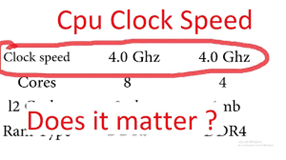
Faster clocks speed are vey beneficial as the CPU can execute more task per second. When gaming this means the game would run faster and much smoother if the clocks speed was slow. Clock speeds are shown using the Hertz we have talked about previously, (E.g. GHz MHz). The internal structure of the CPU is as equally important as clock speed of the CPU. E.g. If two CPU have same clock speed the performance of both CPU might differ due to the internal architecture of the CPU. This means clock speed is not the only factor that affects the performance. Generally, for games 4.0GHz clock speed is good for gaming.
GPU
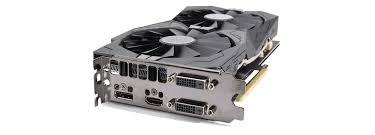
In this part of the blog we are going to discuss about Graphical processing units which is short for GPU. GPU is similar to CPU because both process information however GPU focuses more on displaying graphics onto the screen.
2D
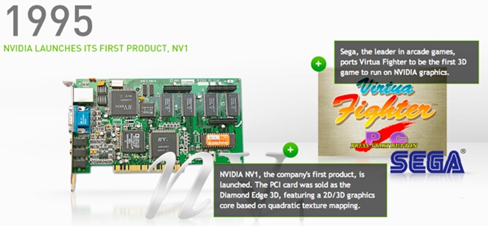
2D processor are not popularly used nowadays because gaming is more advanced, due to graphics getting more complicated thus 3D processor are needed to run. 2D processor were first used in the beginning when games were new. 2D processor were used for these kinds of games because the graphics processor unit had to just draw up pixels to display the game onto the screen. Pixels are tiny fragments of what is drawn to make up the whole game. More pixels would improve the quality but fewer pixels would make the quality poor. Without pixels being drawn there would be no display at all, as the pixels create the complete appearance when all pixels are together. 2D processors take less power (from GPU) because they don’t need to do complicated mathematical formulas so the pixels are rendered. 2D processors wouldn’t take long because the equations are very simple. They don’t need to load any lighting or 3D objects thus taking less time due to the simplicity. However if the game is large in size or there is high amount of pixels then rendering would take long.
3D
3D processor take a lot of power from the GPU because the processor is loading up more pixels and NURBS, NURBS stands for non-union rational basis spline. This makes games to have elements that 3 dimensional unlike pixels, also it can be used to make shapes like cubes. However it can also be shaped to more interesting objects such as tanks which are more entertaining. Non-union rational basis spline permits manipulation of items into any shaped because it gives ability to curve shapes thus user can change it anything they wish. This allows games to be more entertaining because everything is not dull 2. However if 3D elements are used in a game, the time taken to load might increase. When the game is loaded the picture is being rendered, this is done to avoid falls in performance because the can enjoy playing games as everything loaded for the user already. Currently, all games have 3D elements within in them so having a good GPU is essential so everything runs smoothly and efficiently. If the user has a poor processor that can run the graphics well then the gaming experience is worsened.
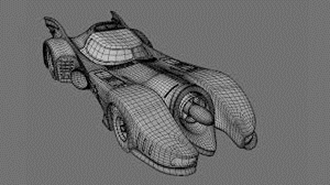

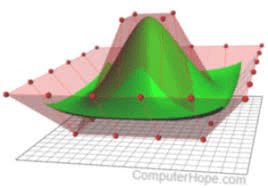
As you can see by the image 3D looks sharper and appalling than dull pixely 2D graphics.
Graphics memory
Graphics memory is very important for gaming. Graphics memory is used to store and allow rendering for each specific pixels that can be seen on the screen. When gaming is referred graphics are stored in memory like VRAM which stands for Video Random access memory. Graphics memory is essential for gaming as it allows the player to play games at higher resolution. Also it enchases video performance. Video random access memory runs faster than normal RAM, VRAM makes games to load the graphics much quicker than RAM. Also the render distance is quicker, render distance is the distance where graphics is loaded at and seen in a game. The purpose of GPU at the same time as VRAM is running is that it requires to access the information of the game. Also it loads the environments of the game, this means when user loads the game the graphics are already loaded (preloaded). The faster the VRAM runs the quicker graphics can be displayed.
Memory
In this part of the blog we are going to talk about Memory and why it is important for computer when gaming.
The reason for why RAM is in a computer, RAM helps games to be loaded into it because it stores content and variables. RAM is used instead of hard drives because it is much faster and it is better place to store temporary objects, it is not saved when the computer is turned off. When RAM is referred to gaming, it is always recommended to have bigger and faster RAM because it develops a better gaming experience for the user as it leads to quicker loading times. More temporary data can be stored and Information can be understood by reading and written more rapidly.

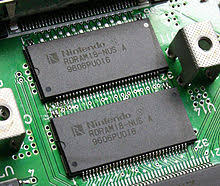
RAMBUS Dynamic (RDRAM)
A memory subsystem is made to transmit data at very quick speed. RDRAM consist of Random access memory which is shortly called RAM. it consist of a RAM controller and a bus path that is joins RAM to other processor and devices in the PC. RDRAM is the fastest type of computer memory available in the market however the issue lies within the motherboards, as some motherboards can fully utilise its potential capabilities. What RDRAM does is that it holds cache memory from the CPU. Similarly, it holds video memory from the graphics card. RDRAM was utilised in two game consoles, one of the video game consoles that used RDRAM was Nintendo 64 in 1996. The console had 4MB RDRAM that was running with 500MHz clock on a 9-bit bus also allowing 500MB/s bandwidth. RDRAM helped Nintendo 64 video game console to have a large amount of memory bandwidth with low cost. This was due to the simple design. The narrows bus that was in the RDRAM allowed circuit board developers to use simple design techniques to help lower the cost of production.
Static (SRAM)
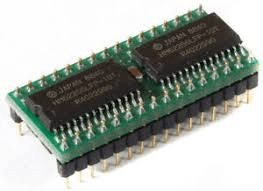
SRAM stands for static random access memory. This is a type of memory chip that is quicker than RDRAM if both are compared together. In addition, it needs less power than RDRAM. Static random access memory will store data constantly but this depends if power supplied to the chip and this can be done using a static method. This would mean that SRAM is faster than RDRAM as well as needing less power to able to function properly. On the other hand the issue with SRAM is that less data can be held if compared to the RDRAM. This would affect the gaming experience for the user as the experience is improved because more data can be loaded quickly by the SRAM. This makes playing games in a console more smoother however due to the storage issue caused by the SRAM, if data is getting full the whole console may slow down because the SRAM cannot store a lot of data.
Dynamic (DRAM)
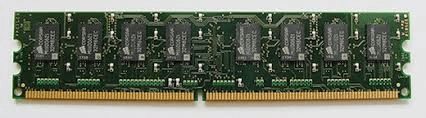
DRAM stands for dynamic random access memory, it is type of memory chip that relies upon a applied voltage to allow holding of stored data. This type of memory chip needs a smaller amount of physical space than saving data statically like SRAM. On the other hand, DRAM needs more power than other types of RAM that are listed above because the capacitors require to be refreshed regularly so they can be electrically be charged. Normal RAM is more efficient for gaming than DRAM as DRAM requires a lot of power than many other types RAM such SRAM. E.g. if a console has DRAM then the console needs to have high amount of power to keep them charged and operated.
Display
Now we are going to talk about displays, displays are used to show graphics to the user by a use of screen. Displays are very important as this will how good the graphics can be seen on the screen and it will allow to see what’s happening in the game.
Built in
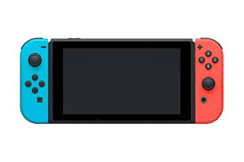
This the first type of display we are going to talk about. Built in is a device where there is already made screen for the display. As a example to further demonstrate my point I’m going to mention iPhone. iPhone device, this mobile phone device has a screen already made for the user so everything can be displayed on it. The screen will display a video game if the user is playing a video game on their iPhone. Another example is the Nintendo game boy which a hand-held console. This hand-console has a built in screen to show the display. Nintendo game boy was portable allowing users to carry them and play games where ever they are, this was possible due to its small size. However the graphics of this Hand-held console was not very good. Lastly, final example of a built in screen is the Nintendo Switch. Nintendo Switch is a hybrid console which has the option for the user to play on both external and built in screen. The Nintendo Switch is great illustration for built in screen because it has a 6.2 inch screen that can have a output of 1280X720, this is better than compared to the Gameboy. Due to the technology improving it allowed built in screen to more advanced graphics.
External display
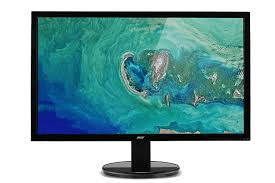
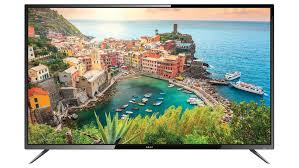
External display is another type of display which is different to built in display. External display is form of display that is connected to a console or computer. Different cases of external displays can be monitors, televisions or even projectors. The external display that were listed can be connected to a computer or a console. Nowadays mostly all computers and televisions have the ability to run their display at 1080p. However currently in the market there are special external displays such as televisions that can run displays at 4K if console and the computer provided can support it. This will give better definition when looking at the graphics and all the objects and shapes can be seen in a more sharper and it clearer way. This is beneficial when playing games as it can be seen in a better resolution thus enhancing the gaming experience.
LCD
Lastly, the final type of display is the LCD. LCD stands for Liquid Crystal Display. Most screen technologies use LCD. This type of display is a flat panel display that is developed, by the use of sheets that are made out of polarising material. This polarising material is held together by a Liquid crystal solution. Companies used these material as the materials were helpful when making flat screen television and monitors. Also these materials were useful as the televisions and monitors were created more amount of set-up space were saved for the user. Liquid Crystal displays sustain high resolutions like the 1080p and the ultimate 4K resolution. Long before LCD was found, companies were using a material that was called CRT and this stands for Cathode Ray Tube. The disadvantage of this was that it was much thicker than LCD and also more radiation was released. LCD is a good display for gaming as it supports high resolution allowing games to be seen better and similarly, less space is taken up for this device allowing user to utilise this space accordingly. In addition to LCD, there are additional components such as TFT and LED. TFT is also known as thin film transistor. This component modifies the change the form of pixels so a new image can be displayed. LED stands for light emitting diode display and it works by using panel of LEDs as the light source behind the screen.

Sound
Now in this part of the blog we are going to discuss about the Sounds, sounds are essential for gaming as it allows user to understand and play the game effectively. If the Sound quality is poor then for the video game played the gaming experience is diminished.
Sound card
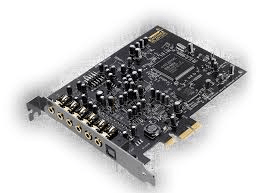
This is a first section about sound which is sound card for the PC. A sound card is positioned inside the actual PC case. This is because there is a plug-in part on a one of the sections of the case. The function of a sound card is to allow the user to plug in devices such as headphones or speakers so the computer generates sound and then send it to the devices for output. Output sound is reclaimed by communication with the motherboard and this is where all the computers are linked together. Sound cards help to improve the sound quality of the systems, if the user doesn’t have appropriate speaker or headset then the difference is hard to notice. Sound card is essential for PC gaming as it offloads tasks from the CPU, which means better frame-rates when playing your favourite game. Example of a good sound card is the ASUS STRIX SOAR. This sound card gives immersive sounds when playing games thus improving the gaming experience.
Audio processors
Audio processors can be applied to modify signals within the audio, this will make sure that the signal strength is at its highest potential possible point and the sound quality is not very poor. What can be done to ensure that the user has the greatest audio is that elements like volume pitch and tine can be modified through hardware or software devices. Audio processors are a internal expansion cards that give input and output of audio signals to and from computer by the command of certain computer programs. Having audio processor might better gaming experience as sounds are clearer to the quality of it.

Mono/Stereo
Mono stands for monophonic sound output and Stereo stands stereophonic sounds output. These both sound outputs are different to each other. Monophonic is the most common form of sound that only uses a one channel for audio input, this is usually with a one speaker. For gaming is this form of sound output is not recommended as the audio volume will sound same as throughout the gaming session which worsened the gaming experience as volume is same making playing the game feel dull. However if the user uses stereophonic audio the volume fluctuates itself. Example if the video game player is playing games like Battlefield then if your device console/computer supports stereo then the volume will adjust itself. This makes hearing objects or someone within in the game easier from a long distance. The stereophonic audio works by using two different audio signal channels and after they are mixed together. Lastly, they are released through either left or right speaker and this depends on where the sound is coming from in the game that the user is playing. Similarly, stereophonic audio can mix several sounds together to create sounds however monophonic can release one sound. Within gaming with 3D positional audio, these kind of audio can only be functional with monophonic files. This could mean that when user plays some games there can be potential restrictions when allowing game to work properly. In addition, when referred to gaming players might require a mono file so smaller file size because there is a chance of the file taking up too much storage. This affects gaming experience as the system can slow down and making playing games more difficult.

Surround 5.1/7.1
Surround sound is a type of sound using in gaming. Within in surround sound there are various types of surround sounds, for example surround sound 5.1/6.1/7.1. the types of surround sound show how many surround speakers are actively being used together with a subwoofer, usually the speakers are placed in the front, behind and lastly the sides to create a surround sound area. The function of surround sound is to boost the gaming experience or while watching films by giving the user ability to hear the sound all around the them. Example to further illustrate this is if a user is playing a video game and within the game there is a shooting to the right on the game, after the shot the right speaker would be the loudest in sound because it is trying to provide the best possible experience for the user. High quality sound is also given to the user. 5.1 surround sound is the most commonly used surround with a 5 speakers, it also has a low frequency subwoofer channel. However 7.1 surround sound has 7 speakers with a one low subwoofer channel. In gaming if a good headset is used that has built in surround sound built, this might help user to hear better when playing games thus giving a more superior experience.

Game storage medium
In this part of the blog we are going to talk about different game storage mediums such as DVD and CD which is a material that allows data to be kept and received on it .I’m to going to tell advantages and disadvantages for game storage mediums. Game storage mediums are very important to gaming because it allows the game to function well without slowing the performance.
proprietary
proprietary is a product which is owned by a single company. This technology can be only used the only company who has access to it. This company ensures control over their product or technology. This prevents anyone unknown person to know their plans and inner developments. One example of this Microsoft who are company to use this. Microsoft has various products that are in the market but how they function and other finer details are not shown. Microsoft have a license called propriety licence , this licensing is becoming more interesting to other companies. This makes propriety license very popular. To further illustrate this example if the user downloads or buys a software from a company such as Microsoft, this would allow the user to use the software however nothing can be changed by the user. This makes hacking software or cheating very difficult so it is used in the game industry to being very secure which is a great advantage. As client systems games console thus remain a proprietary.

Standard
Standard is a medium that is already widely known and has already existed. E.g. mediums that are already existed are such as blue ray CD’s and DVD’s. business that are similar to Sony have used these mediums like blue ray disk which they put any games on their. Standard mediums are different to proprietary as this medium has already existed and being used on various different purposes. Sony strived to make the UMD disc within the PSP device, similarly they tried to motivate other business to develop the disc. Unfortunately, this process failed so the UMD had to become proprietary because it was only used within the PSP device and no other console used the UMD disc.

Flash memory
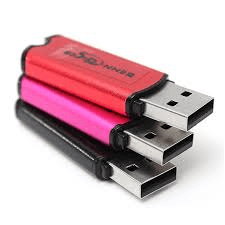
What flash memory foes that it retains data when there is no power supply. It is mostly used with cell phones , cameras , PDA’s , car radios, SSD and printers. As a example to show the uses of flash memory would include Universal serial bus flash drives. An electrically device is used so data could be written and erase in larger blocks rather than doing it byte by byte which is slow. What needs to be done in order to use flash memory is that the pc will require a particular set of ports that have the capability to read the device which uses the flash memory. E.g. USB port is required so the USB flash drive can be read. Usually, The storage capacity changes depending what kind of flash memory is used to save game to. For example if USB flash drive is used then it can have more 15MBs of storage. They are portable which means carrying it is not difficult also it can be used on various devices. The main issue of it is that it breaks easily and there are more mediums that have a large storage capacity accessible within them. Consoles such as ps3 and the ps4 allow flash memory to be used to upgrade the storage. This is because 2 USB ports are in the front of the console which can be used to insert flash drives. The user can play a game and when the user wants to save their game progress they can it either save it on the flash drive or into the console that they are using. This is advantageous for players because the user can bigger storage. Also they have ability to transfer their storage and game data from console to different console.
CD/DVD/BD
A pre-pressed optical compact disc is called a CD. This disc contains data. CD recorder is a certain device that allows recording data to a compact disc. Nowadays CD’s are very popular format for users who buy games or other records. The music fans increased the demand for CDs as they prefer to obtain physical copies of their music by using the CDs. In December 1988 the CD-ROM system was released, this system was the first gaming system to use CDs. DVD drive is a particular device that reads DVD disc on a computer. DVDs are mainly used for storing and viewing movies and it is also used to store/view other data. DVD is a type of optical disc that has the ability to hold4.7GB and 17GB of data, this can be used to store up information. DVDs can hold range of data and because of this it is called versatile disc from length films/computer games. A DVD- ROM is needed so the VDs can be which allows CDs to be read also. A certain type of graphics card is needed so DVD movies can be watched and DVD video games can be played. DVDs that are single layered have the capability to hold up 8.74GBs however double layered DVDs can hold twice as much. The benefits of DVDs is that is produced at high volumes this making it cheap. Another benefit is that they have large storage amount. However they can be easily damaged due to scratches or by breaking. Another issue of DVDs is that the loading data takes time and it is slower than flash memory. In relation to gaming Xbox, Xbox 360 and the PlayStation 2 have the ability to play movies however Xbox or the PS2 have not got progressive-scan DVD functionality. The PlayStation 3 console has built in with blue ray disc drive which allows it play high definition films. also allowing to use standard DVDs that can be chosen by the user.


HDD
A non volatile memory hardware device is called HDD. HDD stands for hard disk drive. It monitors the writing , reading and positioning of the hard disk. This equips data storage. Usually , the main storage device in a computer is the hard disk drive. Operating systems , software programs and many other files are frequently stored by the hard disk drive. HDD can be easily found in various desktop computers and mobile devices etc. in relation to gaming the user can use external hard disk drive that employs USB 3.0 connections. Consoles such as PlayStation 4 and the PlayStation 4 pro can deliver up to 8 TB. This is possible if the drive has been already configured for a external storage on the console is connected. Second drive cant be formatted and the previously formatted second drive wont be identified.

SSD
SSD stands for solid state drive, it is a storage medium that utilises non-volatile memory to hold and access data. Hard drive has moving parts but the solid state drive has no moving parts. The benefits of SSD is quicker access time , higher reliability , no noise when the SSD is operating and finally less power is used up by the solid state drive. In relation gaming Xbox one console requires an external hard drive when there is not enough space to download more games. Luckily, solid state drives are a goof option because it upgrades the consoles capacity and it also outpaces the on-board storage. This would make gaming experience smoother as loading times is reduces when playing games. However SDD are very expensive and the user must be careful when buying as they are costly.

Universal Media DISC
Universal media disc holds data and it is a disc created by Sony. The purpose of this disc is to hold data for the PSP which stands for the PlayStation portable. The PSP allows films to be played on the PSP handheld console device. If CDs are compared to UMD , UMD have a distinctive shape than the CDs. The UMD is a little disc inside a plastic case around. On the other hand, Sony will not release a UMD player as the PlayStation portable already plays it so it would be pointless thus Sony is not mostly likely going to released it. The users who don’t have the PSP are going to buy DVDs than UMDs. The UMDs have a limit capacity storage of 1.6Gbs, this is not enough so Sony inserted a tiny chip into the PSP. The small chip that was inserted provided additional storage to be held within the console. Lastly, the UMD has the capability to hold various items such as movies, games and music however its uses are only meant for the PSP.

Interface devices
In this part of the blog we are going to discuss about different interface devices, we have briefly talked about interface devices however now we going to talk about them in more depth.
Game devices
Game controller-
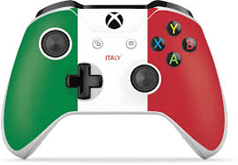
Controllers have buttons, these buttons are momentary switches that trigger the character to perform an action. E.g. character may fire weapons or other similar actions that can be done by the character. In the beginning controllers were joystick controllers. Joystick controllers are popular amongst many video game players are best to play game simulators games such as flight simulators. Similarly, joystick are appropriate for games that are air combat game such as “Air warrior”. Some game controllers can be slightly used for some driving, racing, adventure and sports games. This is because the joystick was not properly designed for these types of games and thus cause great comfortability and frustration if joysticks were used for those types of games. Steering wheel controllers which most of them include foot pedals are perfectly ideal for driving and racing games because the controller is designed for controlling the vehicle within the game making user feel like they are driving. However steering wheel controllers are not good for other types of games. Lastly, Gamepad controllers are great for action games such as first person shooters and sports. This is because the gamepad is easy to use and has many action buttons, this is suitable for performing multiple actions within a game. This action performing is vital for actions and sport games which makes gamepad more comfortable to be used for those types of games. Axis is a line drawn across the middle of a joystick or the directional pad on a game pad. This makes the directions that the user can move by using the controls evident. All controllers have both an x-axis and a y-axis, x-axis is meant for the side to side movement and the y-axis is meant for front to back movement. The benefit of controllers is that not great amount is required when playing games, also it is better than keyboards and mouse when playing games like FIFA as the controller has better design for those types and games. It is more comfortable to use if the user wants to play FIFA. However when playing shooting games accuracy and precision is hard for controllers as the two joystick (left/right) are difficult to control.
Keyboard and mouse
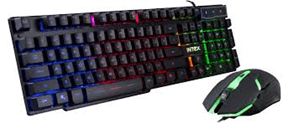
The most common interface used for a PC gaming is keyboard. Keyboards are devices that are filled with buttons, these buttons are represent by a letters, numbers and other buttons which can be used as commands. The purpose of these buttons is to provide game control. The multiple various buttons provide the user to do different actions and sequences of controls. Example if the user is playing “Fortnite” the user can use the arrow key buttons or the “ASDW” buttons to move the character to left, right, up and down within the game. The mouse is alongside with the computer both are used together in PC gaming. The main function of the Mouse is to shoot or select multiple option that the user can pick from. As the user moves the mouse around, the player moves the cursor on the screen that is displayed on the monitor. If the player clicks the left button on the mouse, then the user can select a option. However, if the player uses the left button to aim down a target then the user can use the right button of the mouse to shoot. In many shooting games for PC this is how the mouse works. The advantage of Keyboard and mouse is that gives PC gamers higher precision and accuracy when playing first-person shooting games or other shooting games. However, the issue with keyboard and mouse that is requires skills to use so the learning curve is greater if the user is new to FPS games. Compared to controllers even if the user is new to FPS games the learning curve is not that great compared to keyboard and mouse because skills are not needed. Also, the issue with keyboard and mouse is that certain genres of games are not ideal for keyboard and mouse. Example Racing games such as need for speed is not designed for keyboard and mouse thus the user will struggle to play the game accurately if keyboard and mouse is used instead of a controller.

Steering wheel and pedals
Driving games usually are played with Steering wheel controllers. This is because it gives the user a more practical experience of driving. Steering wheel controllers can be used for all platforms such PC , consoles and even arcade games. When the user uses the steering wheel controller, the user turns the steering wheel and after this the car will move the direction depending on which manner the wheel is moved. This works similarly to a car in real life. The pedals are devices that can be used with the Steering wheel. The pedals are used to control the acceleration of the car, also the pedals can be used to break down so the car’s speed is slowed down. This is done by pushing the pedals with the feet just like if normal car was being used in real life. Forza 4 horizon is a game that uses a steering wheel and pedals. The benefit of Steering wheel and pedals is that supported by all gaming platforms which makes the pedal and the steering wheel controller reliable, so the user doesn’t have to stick to a specific gaming platform. Also the benefit of using steering wheel and the pedal it gives the user more realistic feel thus their gaming experience is expanded and not dull controller is needed. However the main issue of the steering wheel and the pedal is that it can be only be used with one type of game thus limiting the use for it.

Virtual reality
Virtual reality is a world which is invented space that separately exist from the real world. The technology that used to develop this space is a simulation, this done through made visual elements that are rendered with computer graphics. The creator defines set of rules to relations and interactions between different elements within the virtual reality. The user is immersed into a virtual space. On a sensory level the user feels cut off from the real world. The purpose of VR headset is dominate the user vision field and the headphones do the same but with sounds. This makes the user feel fully immersed into a different world. the VR headset traces the position of the user, this done within the given space and this helps the computer to render the changes of the location. If the user moves their head or body around an illusion is happening where the user thinks they are moving about in VR space. The user’s input is realistic as possible because the input is moving not pressing a button. There are interactivity within the virtual reality world thus the simulated environment has virtual elements that the user can interact with. E.g. picking up a item from the ground such as football where the user can throw at the simulated people in the VR.

Wireless
Wireless controller work by connecting to a console by the use of Bluetooth. Wireless controllers have the ability to connect to consoles wirelessly thus they don’t need no port to connect. Radio waves are emitted so they are detected by the console and then picked up. Finally, the data is delivered to the CPU to control the game. In relation to gaming wireless technologies are widely used for controllers. E.g. PlayStation 4 controller uses Bluetooth connection to link to the console so the user can navigate through the interface. Similarly the old generation controller which is the PlayStation 3 also uses Bluetooth connection. However Xbox 360 controller uses a proprietary 2.4 GHz wireless connection to link to the console. Now Xbox one uses a Bluetooth connection technology as it is convenient than the old proprietary wireless connection used for the Xbox 360 controller.
cabled
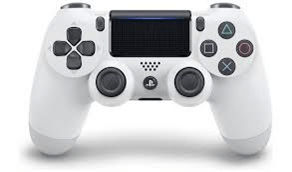
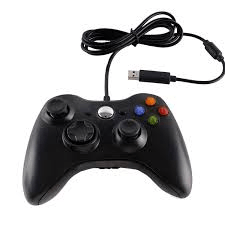
There are interface devices called wired controllers for games consoles. These wired controllers need a wire to be connected to a port on the games device to function properly. Nowadays most controllers used cables so they can be connected to a consoles, E.g. the PS4 controller and the Xbox One controller. The benefit of cabled controllers is that the user doesn’t have to keep charge them, as they are being charged. This makes the controller have a long battering life. This improves the gaming experience as the gamer doesn’t have to pause their game and attach a cable to the controller(sometime the user might have to search for a cable which is even worse) so it can get charge thus increasing playing time. Similarly, the controller is not going to run out battery in halfway through the gaming session so the user cant lose their progress within the game by losing due to controller being out of charge. Another benefit of cable controller is that they can be connected to PC. This gives the user option to choose their desired interface instead of using the keyboard and mouse. In addition wireless controllers can be connected to a PC but this depends on the computer if the computer has Bluetooth technology built in it. This makes cabled controller more reliable compared to non-cabled controllers. The main issue of the cabled controller is the cable itself as most cables are short and thus not giving enough space for the user to use the controller thus making cabled controller uncomfortable to use. Lastly, as the controller is cabled this means that there I chance of the cable getting tangled. This affects the gaming experience badly as it is irritation g playing with tangle cables and untangling the cable might consume the players’ time. Thus making it more time consuming.
Analogue/digital
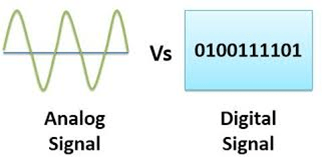
If both Analogue and digital are related to gaming then controller such as steering wheel can be considered as analogue. However the pedals can be seen as digital. In addition within the controllers the sticks part can be seen as analogue. This is because the variety of movement the user can possible obtain within the sticks. What analogue can also be is the transmission of the signal that was made in the first place. If the price of analogue signals are cheap but the signal of the sound is more expensive. This is because the transmission can be done inaccurately thus some un-needed noise can come in. digital signal are firstly converted in binary, when the conversion is finished then it is delivered to the device. If the price of digital signals are compared to analogue signals then digital is more costly. The quality of sound is high in digital signal. In all this is related back to gaming then digital signals are better than analogue signals because digital signals have high quality. Due to the high quality of digital signals the price is also going to increase thus making it relatively expensive. The gaming experience is more enhanced with digital signals because there are more great sounds which makes playing games more fulfilling and exciting. Lastly in gaming analogue are usually the triggers and the thumb stick. However the direction pad and action buttons are seen as the digital. Digital signals have two outcomes which are on and off. Example the NES controller has d-pad, the d-pad has four directions so of the user presses the left arrow then avatar moves to the left. Similarly with the button of the user presses A button in Super Mario bros the avatar jumps. Each button or d-pad direction performs a different action. However with the analogue there is more outcomes and possibilities unlike the digital signal that has on and off feature. Thus giving more freedom to the user. Example the Nintendo 64 the analogue joystick the avatar can do more actions such as going any direction between the four direction. Thus it gives user more options to choose from.
Connectivity
Now in this part of the blog we are going to talk about connectivity. This is where programs are linked to other programs. Also it is where devices are connected to internet/W-FI sources. LAN is a wireless computer network that connected computers but there is a limited area. WAN is different to LAN because it covers wider area, this is done by using private or public network. What broadband does is that it carries several channels of data at once to an electrical device. Broadband is a one type of data transmission. Similarly there are different methods of connectivity that can be used within devices. In relation to gaming is essential to have LAN cable because it provides a stronger connection than wireless connection. This means that when the user plays video game there is a lower ping and downloading times are reduced. However wireless connection is beneficial because it gives the user more space to move around within the network within their devices. Example the user can use their Nintendo switch within the network area. Overall connectivity is important and connectivity is even more essential when downloading games is considered. LAN connection might give the user advantage when playing games, E.g. if the user is playing “Fortnite”, better connectivity would allow the bullet registration (when shooting)to have smoother response if it is compared to someone who has a poor connection. Usually consoles have built in wifi so that means they can connected to the internet. An alternative is ethernet cable. Ethernet cable can used to plug into the PlayStation 4 or the router so the device is connected to the internet. This allows the user to play their favourite online games, such as multiplayer. In addition cabled is a benefit because Ethernet cables would provide consoles a stronger connection because the cable would be plugged right into the console which is the PlayStation 4 in this case.
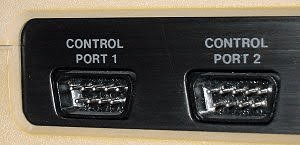
Controller ports
What controller ports do is that they allow video game console controllers to be connected to a console or PC depending on the user’s preference. In relation to gaming modern consoles such PS3 , PS4, and Xbox 360 use controller ports. Most controllers ports in the modern time are USB ports , which stands for Universal serial bus ports. Old consoles that were used in the past were using proprietary controller ports. Old consoles would have had to then create their own ports where their controllers could be adapt to. Example of this is the Wii which had 4 controller ports, these ports are only compatible with GameCube controllers. This would function when the user would play GameCube games on the Wii console. Similarly the Wii games can be used with a GCN controller. Finally, only Nintendo Wii consoles are suitable with the GameCube accessories.
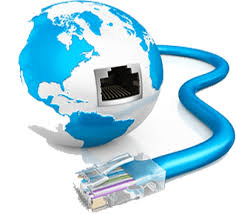
Internet connectivity
Internet connectivity is a system of interconnected computer networks. They use a normal internet regulations which helps billions of users globally to access to Wi-Fi. Overall the internet has millions of networks that are all individually different. The purpose of internet is not one but it is wide, example online shopping is possible and playing online games with peers is also possible. In relation to gaming internet connectivity is really crucial for downloading video games, as poor internet connection would mean longer download time. Lastly, strong internet connection gives users advantage point when competing against other players around the world. E.g., users with strong internet connection they can perform better as they are not lagging or slowing and the gameplay is smoother. Thus giving user better playing field when playing against user who have poor connection.

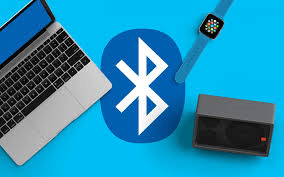
Bluetooth
Bluetooth is a wireless network type, what Bluetooth does that it allows device to be connected to wirelessly without any wires. However Bluetooth is only functional with short distances. Example to illustrate Bluetooth is mobile phones with SAT NAVS. Also phones can be used to connect to cars so the driver can call other people or listen their favourite music track. Similarly mobile phones can be used connect headphones or speaker so music can be listened to. In relation Gaming many game console controllers use Bluetooth connection. Example the PS4 controllers can be used to connect to the consoles so the user can navigate through the PlayStation 4 system.
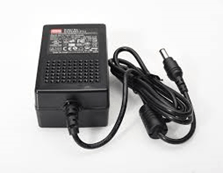
Power supply
Lastly, in this blog we are going to talk about the last topic which is power supply. Power supply is the hardware component that gives energy to the electrical device. The electric device in this case is going to be gaming devices.

External source /internal battery
Many devices have internal power sources, these power sources are batteries which are built into the device. A device that uses internal battery is PS vita. The device is portable meaning it can be taken anywhere but the hand-held console might run out of battery very quickly. This depends on type of gaming is being played on the device. Main electricity source is used to charge the internal batteries. The internal batteries hold up the power they got from the mains, the electricity keeps the device that doesn’t hasn’t got any power cables working by suppling power. When the battery runs out of electricity then it requires to be charged again from the mains electricity source. The issue of the internal battery is that the batteries that being used are very heavy and also take much space of device. Thus it makes the device in-adequate. This issue can be solved by balancing between the battery life and the size as well as the weight of the device. Most of the time companies electronics within the device are designed for efficiency, this allows the battery life to last longer.
Another example is the Nintendo switch which a hybrid of a normal console and a hand-held console. The Nintendo Switch doesn’t allow USB type-C charging abilities, this creates much faster recharges. However the USB power delivery 2.0 can be utilised so 100W of power can be transmitted over Type-C cable. The switch will charge quicker when directly attached to AC adapter if it is compared cradle on the dock. Nintendo have concluded that switch needs full 3 hours to fully charge up its battery, the battery is 4310 mAh battery. Lastly, the Nintendo switch has problems with is battery and the GPU. E.g. if the Nintendo is functioning on the battery the GPU is only running at 40% because the display that is built in is 720p. on the other hand, if the Nintendo Switch is running on the external power supply which is the mains(docking). Then the GPU is performing at 100% rate and has a output of 1080p. This is telling that the potential of the GPU is not being used when the device is running on the battery. This is done in order to make the battery last longer.
External power supplies are not with the device and it comes as a separate physical compound. External power supplies give power from the mains 240v supply to the device directly with the help of stand-alone cord and plug so the device can receive its power. This involves power packs for video game consoles such as the PlayStation 3 and the Xbox 360. Some consoles have built in items that will convert the powers. However other consoles might have these power converters externally. These directly move electrical power to the device E.g. PC so the device can work and also the when the electricity is not existent then device will lose it’s power.

This is an example post, originally published as part of Blogging University. Enroll in one of our ten programs, and start your blog right.
You’re going to publish a post today. Don’t worry about how your blog looks. Don’t worry if you haven’t given it a name yet, or you’re feeling overwhelmed. Just click the “New Post” button, and tell us why you’re here.
Why do this?
The post can be short or long, a personal intro to your life or a bloggy mission statement, a manifesto for the future or a simple outline of your the types of things you hope to publish.
To help you get started, here are a few questions:
You’re not locked into any of this; one of the wonderful things about blogs is how they constantly evolve as we learn, grow, and interact with one another — but it’s good to know where and why you started, and articulating your goals may just give you a few other post ideas.
Can’t think how to get started? Just write the first thing that pops into your head. Anne Lamott, author of a book on writing we love, says that you need to give yourself permission to write a “crappy first draft”. Anne makes a great point — just start writing, and worry about editing it later.
When you’re ready to publish, give your post three to five tags that describe your blog’s focus — writing, photography, fiction, parenting, food, cars, movies, sports, whatever. These tags will help others who care about your topics find you in the Reader. Make sure one of the tags is “zerotohero,” so other new bloggers can find you, too.

 abdzinho's blog